Building an RSS bot
BotKit's Getting started guide gets a bot running in a few minutes, with a hello-world handler and nothing to poll. This tutorial keeps going: it builds a bot that watches an RSS, Atom, or RDF feed and posts new entries to the fediverse, and along the way it touches most of what BotKit does, from scheduled work and persistence to replying to mentions and, once one feed becomes several, createInstance() and dynamic bot groups.
The first part builds a single bot that watches one feed. The second turns it into an instance that can host one bot per feed, registered by mentioning the instance with a feed's URL. Each part ends with the bot exposed to the public internet and tested from ActivityPub.Academy: followed, mentioned, and watched from a real Mastodon account.
This tutorial assumes you've read Getting started already, so it won't re-explain createBot() or Text from scratch. The finished project is also browsable in BotKit's repository, under examples/rss-bot/.
A single bot
Setting up the project
Create a new directory for the bot and install BotKit along with @rowanmanning/feed-parser, the library that will turn a feed's raw XML into a plain object:
mkdir rss-bot && cd rss-bot
deno add jsr:@fedify/botkit npm:@rowanmanning/feed-parser
mkdir rss-bot && cd rss-bot
npm init -y
npm add @fedify/botkit @rowanmanning/feed-parsermkdir rss-bot && cd rss-bot
pnpm init
pnpm add @fedify/botkit @rowanmanning/feed-parsermkdir rss-bot && cd rss-bot
yarn init -y
yarn add @fedify/botkit @rowanmanning/feed-parserFetching and parsing the feed
@rowanmanning/feed-parser parses RSS 0.9x, RSS 2.0, RDF Site Summary 1.0 (RSS 1.0), and Atom 0.3/1.0 feeds, all through the same parseFeed() function and the same resulting Feed/FeedItem shape. The bot's own code never has to branch on which format a particular feed happens to use.
What parseFeed() doesn't do is fetch anything. It only turns an XML string you already have into an object; getting that string is the caller's job. The bot's code keeps that same split: a feed.ts module that does the fetching, separate from whatever polls it on a schedule.
// Fetches and parses an RSS, Atom, or RDF feed.  Fetching is this module's
// job; parsing is entirely @rowanmanning/feed-parser's, which only ever
// sees a feed as an XML string and has no opinion about how it got there.

import { parseFeed } from "@rowanmanning/feed-parser";

// @rowanmanning/feed-parser's public entry only exports the `parseFeed`
// function, not its `Feed`/`FeedItem` types, so we derive them here instead
// of reaching into its internal module paths.
export type Feed = ReturnType<typeof parseFeed>;
export type FeedItem = Feed["items"][number];

export async function fetchFeed(
  url: string | URL,
  signal?: AbortSignal,
): Promise<Feed> {
  const response = await fetch(url, { signal });
  if (!response.ok) {
    throw new Error(
      `Failed to fetch feed: ${response.status} ${response.statusText}`,
    );
  }
  return parseFeed(await response.text());
}
The type derivation at the top is a small workaround. @rowanmanning/feed-parser's package only exports the parseFeed function itself, not the Feed and FeedItem classes it returns, so importing type { Feed } directly from the package fails. ReturnType<typeof parseFeed> sidesteps that by asking TypeScript to work the type out from the function's own signature instead of naming it directly.
Polling and publishing
The bot itself starts out simple: create it, poll the feed on an interval, and publish whatever's new. Its identifier and everything else about it follow the pattern from Getting started, except the kv store and queue here are the in-memory ones meant for local development. They'll be replaced once restarts start to matter.
// A bot that polls an RSS/Atom/RDF feed on an interval and posts new
// entries to the fediverse.
//
// Run:  deno serve --allow-net --allow-env --watch bot.ts
//   or: npx srvx serve --port 8000 --entry ./bot.ts
// Set:  ORIGIN=https://your-domain
//       FEED_URL=https://example.com/feed.xml (defaults to Hacker News)
//       POLL_INTERVAL_MS=600000 (defaults to 10 minutes)

import {
  createBot,
  InProcessMessageQueue,
  link,
  MemoryKvStore,
  text,
} from "@fedify/botkit";
import { fetchFeed } from "./feed.ts";
import type { FeedItem } from "./feed.ts";

const FEED_URL = process.env.FEED_URL ?? "https://news.ycombinator.com/rss";
const ORIGIN = process.env.ORIGIN ?? "http://localhost:8000";

const rawPollIntervalMs = process.env.POLL_INTERVAL_MS;
const POLL_INTERVAL_MS = rawPollIntervalMs == null || rawPollIntervalMs === ""
  ? 1000 * 60 * 10
  : Number(rawPollIntervalMs);
if (!Number.isFinite(POLL_INTERVAL_MS) || POLL_INTERVAL_MS <= 0) {
  throw new RangeError(
    `POLL_INTERVAL_MS must be a positive number of milliseconds: ${rawPollIntervalMs}`,
  );
}

const bot = createBot<void>({
  username: "rssbot",
  name: "RSS Bot",
  summary: text`I watch ${link(FEED_URL)} and post new entries here.`,
  kv: new MemoryKvStore(),
  queue: new InProcessMessageQueue(),
});

function itemKey(item: FeedItem): string | null {
  return item.id ?? item.url;
}

const posted = new Set<string>();
let firstPoll = true;

async function poll(): Promise<void> {
  const feed = await fetchFeed(FEED_URL);
  const items = [...feed.items].reverse(); // feeds list newest-first

  if (firstPoll) {
    // Don't flood followers with the feed's entire current front page on
    // the very first poll.  Only items that show up in later polls count
    // as "new".
    firstPoll = false;
    for (const item of items) {
      const key = itemKey(item);
      if (key != null) posted.add(key);
    }
    console.log(`Baseline: ${posted.size} existing item(s) from ${FEED_URL}.`);
    return;
  }

  const session = bot.getSession(ORIGIN);
  let publishedCount = 0;
  for (const item of items) {
    const key = itemKey(item);
    if (key == null || posted.has(key)) continue;
    await session.publish(
      text`${item.title ?? "(untitled)"}

${link(item.url ?? FEED_URL)}`,
    );
    posted.add(key);
    publishedCount++;
  }
  console.log(`Posted ${publishedCount} new item(s) from ${FEED_URL}.`);
}

let polling = false;

async function pollOnce(): Promise<void> {
  if (polling) return; // skip if the previous poll is still running
  polling = true;
  try {
    await poll();
  } catch (error) {
    console.error("Failed to poll feed:", error);
  } finally {
    polling = false;
  }
}

pollOnce();
setInterval(pollOnce, POLL_INTERVAL_MS);

export default bot;
The very first poll only records what's already in the feed; it doesn't publish any of it. Without that check, the bot's first run would dump the feed's entire current front page onto its followers the moment it started, which is not what “new entries” should mean. Only items that show up in a later poll count as new.
pollOnce() wraps the actual polling logic with a polling flag so a slow fetch can't overlap with the next scheduled tick. setInterval() doesn't wait for its callback to finish before scheduling the next one, so without this guard, a feed request that takes longer than POLL_INTERVAL_MS could run two polls at once, each one publishing the same items.
POLL_INTERVAL_MS gets parsed once at startup and checked for being a finite, positive number. An unset or malformed value falling through to setInterval(fn, NaN) doesn't error; it just runs on close to every tick of the event loop, hammering the feed. Better to fail loudly at startup than silently at runtime.
FEED_URL defaults to Hacker News's front-page feed. Any RSS, Atom, or RDF feed works, but one that changes often is worth using while you're testing: it means not having to wait long to see the bot actually post something.
Running the bot
Export the bot as the default export, the same way Getting started does, and run it:
deno serve --allow-net --allow-env --watch bot.tsnpx srvx serve --port 8000 --entry ./bot.tsThe console should show a baseline count within a few seconds, then, once POLL_INTERVAL_MS has passed, either Posted 0 new item(s) or an actual post if the feed picked up something new in the meantime. If you want to see a real post without waiting ten minutes, set a shorter interval for now:
POLL_INTERVAL_MS=60000 deno serve --allow-net --allow-env --watch bot.tsTIP
fedify lookup resolves any actor or object by URL or handle and prints its ActivityPub representation. Running fedify lookup http://localhost:8000/ap/actor/bot here is a quick way to confirm the bot's actor document looks right before going any further.
Replying to mentions
A bot that only posts and never responds feels dead even when it's working. onMention gives it something to say back: which feed it's watching, and how often it checks.
function formatInterval(ms: number): string {
if (ms < 60_000) {
const seconds = Math.round(ms / 1000);
return `${seconds} second${seconds === 1 ? "" : "s"}`;
}
const minutes = Math.round(ms / 60_000);
return `${minutes} minute${minutes === 1 ? "" : "s"}`;
}
feedTitle gets set from the feed's own <title> each time poll() runs (add feedTitle = feed.title; right after fetchFeed() returns), so the reply always reflects what the bot actually just checked, not a name typed in once and never updated. Before the first poll completes, it falls back to printing the feed's URL instead.
formatInterval() exists because POLL_INTERVAL_MS might be set to anything from 60000 while testing to the ten-minute default in production, and “every 600000 milliseconds” is not a sentence a bot should say to anyone.
Surviving restarts
There's still a bug in this version, and it only shows up on a restart. If the bot running against a feed that updates often gets restarted right after the feed gains a new item but before the next scheduled poll reaches it, that item never gets posted, and nothing about the failure is visible. firstPoll and posted both reset on restart, since they only ever lived in the process's memory, so the bot treats its very next poll as if it had never run before. It baselines whatever the feed currently shows, folding that “new” item into the “already seen” set instead of ever posting it. A bot that looks like it's working can be quietly dropping posts around every restart or deploy.
The fix is to keep both the bot's own state and the poller's state on disk. Two separate SQLite databases, not one:
bot.db is entirely @fedify/botkit-sqlite's. It's where BotKit persists the actor's cryptographic keys, sent activities, and everything else a Repository is responsible for. The bot's own code never has to know what's inside it, and shouldn't try to.
app.db is this project's own schema: which items have already been posted, so restarts don't forget.
Install @fedify/botkit-sqlite:
deno add jsr:@fedify/botkit-sqlitenpm add @fedify/botkit-sqlitepnpm add @fedify/botkit-sqliteyarn add @fedify/botkit-sqliteapp.db is opened directly, with Node's built-in node:sqlite module:
// app.db: the feed poller's own state, kept separate from bot.db (which
// belongs entirely to @fedify/botkit-sqlite's SqliteRepository).  For now
// this only tracks which feed items have already been posted, so restarts
// don't forget what's already been seen.
//
// node:sqlite's DatabaseSync API is fully synchronous -- none of the calls
// below need (or accept) an `await`.

import { DatabaseSync } from "node:sqlite";

export function openAppDb(path: string): DatabaseSync {
  const db = new DatabaseSync(path);
  db.exec(`
    CREATE TABLE IF NOT EXISTS posted_items (
      item_id TEXT PRIMARY KEY,
      posted_at TEXT NOT NULL
    )
  `);
  // A tiny key-value table for state that isn't about a specific item.
  // Whether the very first poll has happened lives here instead of being
  // inferred from posted_items, since a feed that happens to be empty (or
  // whose items lack a usable id/url) on that first poll would otherwise
  // never count as baselined.
  db.exec(`
    CREATE TABLE IF NOT EXISTS app_meta (
      key TEXT PRIMARY KEY,
      value TEXT NOT NULL
    )
  `);
  return db;
}

export function isBaselined(db: DatabaseSync): boolean {
  return (
    db.prepare("SELECT 1 FROM app_meta WHERE key = 'baselined'").get() != null
  );
}

export function markBaselined(db: DatabaseSync): void {
  db.prepare(
    "INSERT OR IGNORE INTO app_meta (key, value) VALUES ('baselined', '1')",
  ).run();
}

export function isPosted(db: DatabaseSync, itemId: string): boolean {
  return (
    db.prepare("SELECT 1 FROM posted_items WHERE item_id = ?").get(
      itemId,
    ) != null
  );
}

export function markPosted(db: DatabaseSync, itemId: string): void {
  db.prepare(
    "INSERT OR IGNORE INTO posted_items (item_id, posted_at) VALUES (?, ?)",
  ).run(itemId, new Date().toISOString());
}
NOTE
On Node.js versions before node:sqlite was promoted out of its experimental flag (22.13.0 and 23.4.0), you'll see an ExperimentalWarning: SQLite is an experimental feature line at startup. That's expected; the module still works.
isBaselined() is checked separately from posted_items on purpose. Using posted_items's row count to answer “has the first poll happened yet” would work almost all the time, except when a feed happens to return zero items, or only items without a usable id/url, on that very first poll. app_meta tracks the milestone itself, independent of how many items happened to be markable when it was reached.
bot.ts now creates both databases and swaps posted/firstPoll for the persisted equivalents:
// A bot that polls an RSS/Atom/RDF feed on an interval and posts new
// entries to the fediverse.
//
// Run: deno serve --allow-net --allow-env --allow-read=./data --allow-write=./data --watch bot.ts
// or: npx srvx serve --port 8000 --entry ./bot.ts
// Set: ORIGIN=https://your-domain
// FEED_URL=https://example.com/feed.xml (defaults to Hacker News)
// POLL_INTERVAL_MS=600000 (defaults to 10 minutes)
import {
createBot,
InProcessMessageQueue,
link,
MemoryKvStore,
text,
} from "@fedify/botkit";
import { SqliteRepository } from "@fedify/botkit-sqlite";
import { mkdirSync } from "node:fs";
import { fetchFeed } from "./feed.ts";
import type { FeedItem } from "./feed.ts";
import {
isBaselined,
isPosted,
markBaselined,
markPosted,
openAppDb,
} from "./db.ts";
mkdirSync("./data", { recursive: true });
const FEED_URL = process.env.FEED_URL ?? "https://news.ycombinator.com/rss";
const ORIGIN = process.env.ORIGIN ?? "http://localhost:8000";
declare const POLL_INTERVAL_MS: number;
const bot = createBot<void>({
username: "rssbot",
name: "RSS Bot",
summary: text`I watch ${link(FEED_URL)} and post new entries here.`,
kv: new MemoryKvStore(),
queue: new InProcessMessageQueue(),
repository: new SqliteRepository({ path: "./data/bot.db" }),
});
const appDb = openAppDb("./data/app.db");
function itemKey(item: FeedItem): string | null {
return item.id ?? item.url;
}
let feedTitle: string | null = null;
async function poll(): Promise<void> {
const feed = await fetchFeed(FEED_URL);
feedTitle = feed.title;
const items = [...feed.items].reverse(); // feeds list newest-first
// Don't flood followers with the feed's entire current front page the
// very first time this bot ever runs. Only items that show up in later
// polls count as "new". This is tracked in app.db, so it only happens
// once ever, not once per restart.
const isFirstEverPoll = !isBaselined(appDb);
const session = bot.getSession(ORIGIN);
let publishedCount = 0;
for (const item of items) {
const key = itemKey(item);
if (key == null || isPosted(appDb, key)) continue;
if (!isFirstEverPoll) {
await session.publish(
text`${item.title ?? "(untitled)"}
Both database files need somewhere to live, and Deno's permission model is a good reason to keep them out of the project root: mkdirSync("./data", ...) creates a dedicated directory for them, so the process only needs read and write access to that one path instead of the whole filesystem.
Run the bot again with the wider permissions this now needs:
deno serve --allow-net --allow-env --allow-read=./data --allow-write=./data --watch bot.tsnpx srvx serve --port 8000 --entry ./bot.tsRestart it the same way as before, right after a new item lands. This time it shows up in the next poll instead of disappearing into the baseline.
Going live
So far the bot has only had to work on localhost. Other fediverse servers need a public address to reach it at.
Tunneling services solve the “public address” half without requiring a server of your own yet. Since they act as an L7 reverse proxy in front of the bot, turn on behindProxy so it trusts the X-Forwarded-* headers they add, and read it from an environment variable so local development and a tunneled run can use the same code:
import { createBot } from "@fedify/botkit";

const BEHIND_PROXY = process.env.BEHIND_PROXY?.trim()?.toLowerCase() ===
  "true";

const bot = createBot<void>({
  // Omitted other options for brevity
  behindProxy: BEHIND_PROXY,
});
Then bring up a tunnel. fedify tunnel is the one used throughout the rest of this tutorial, but any of these work the same way if you'd rather use a service you're already set up with:
fedify tunnel 8000ngrok http 8000tailscale funnel 8000cloudflared tunnel --url http://localhost:8000fedify tunnel prints a public hostname once it's up:
✔ Your local server at 8000 is now publicly accessible:

https://c4d3933be87bc2.lhr.life/

Press ^C to close the tunnel.
Run the bot once more, this time with ORIGIN and BEHIND_PROXY pointed at that address:[1]
ORIGIN=https://c4d3933be87bc2.lhr.life BEHIND_PROXY=true \
deno serve --allow-net --allow-env --allow-read=./data --allow-write=./data --watch bot.tsORIGIN=https://c4d3933be87bc2.lhr.life BEHIND_PROXY=true \
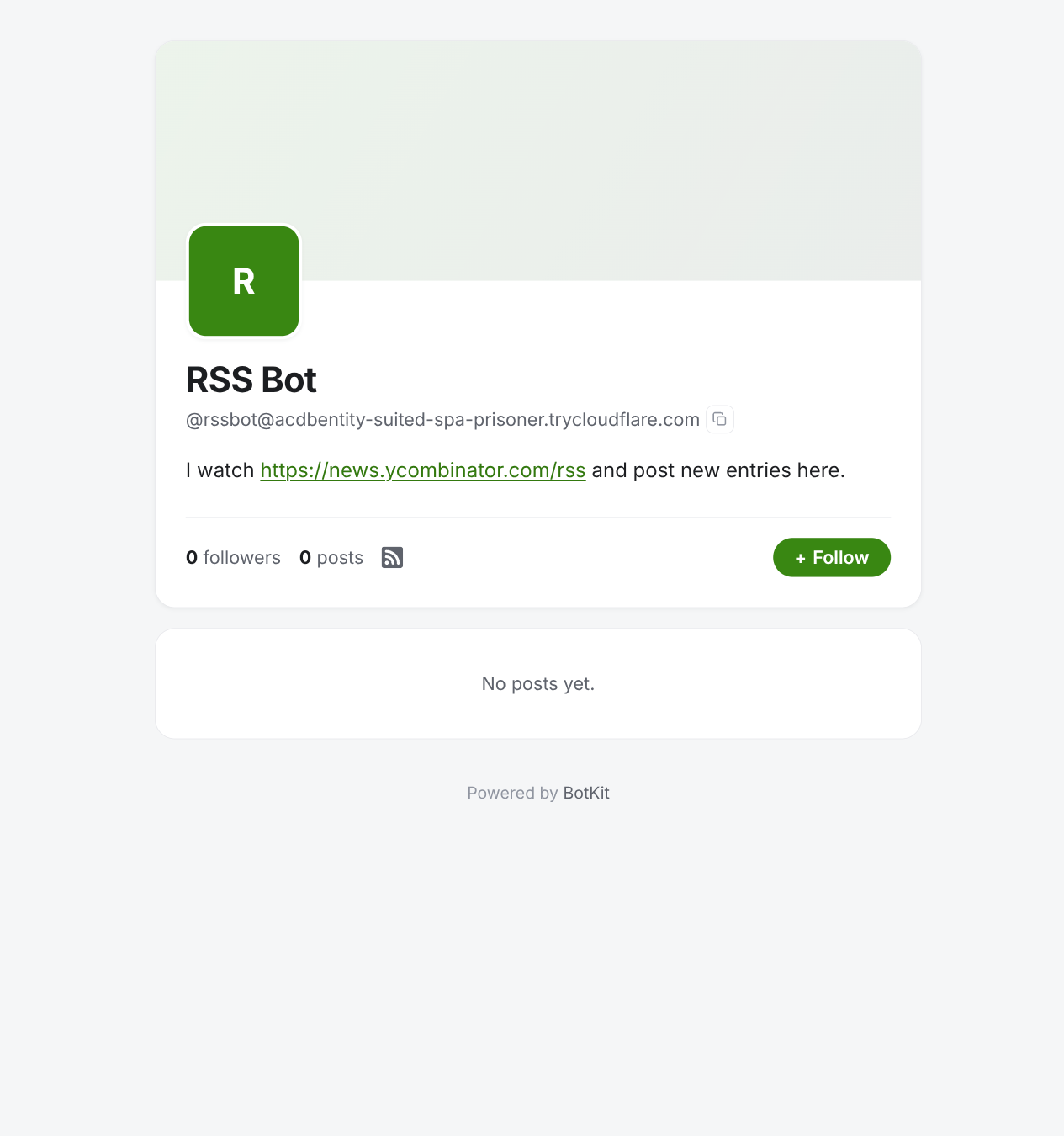
npx srvx serve --port 8000 --entry ./bot.tsVisit that address in a browser and the bot's own profile page should render:
Testing with ActivityPub.Academy
ActivityPub.Academy gives you an ephemeral Mastodon account in a few seconds, good for exactly this: following and mentioning a bot and watching what comes back. Accounts are deleted after a day, so there's nothing to clean up afterward.
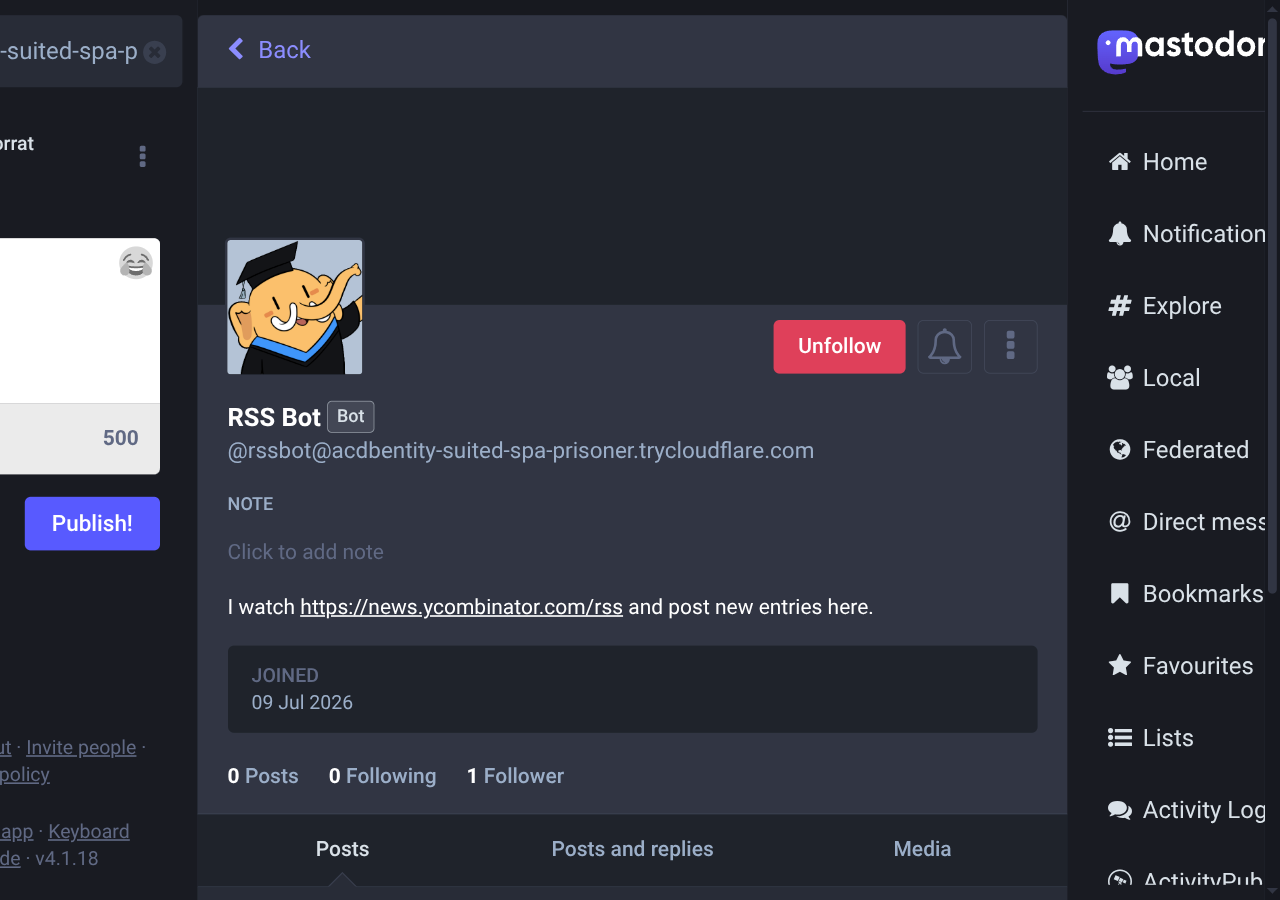
Sign up, then search for the bot by its fediverse handle: @rssbot@c4d3933be87bc2.lhr.life, substituting your own tunnel's hostname.
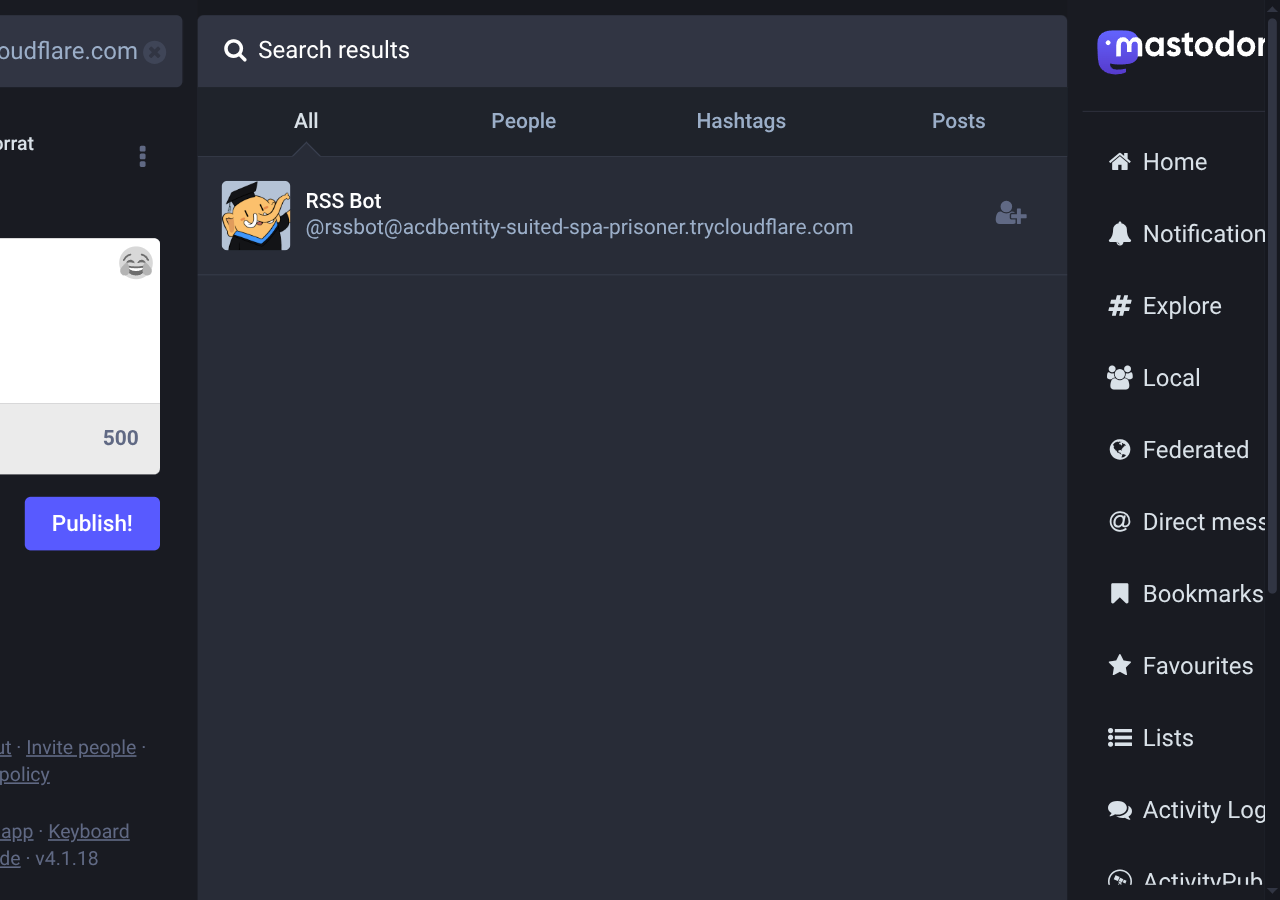
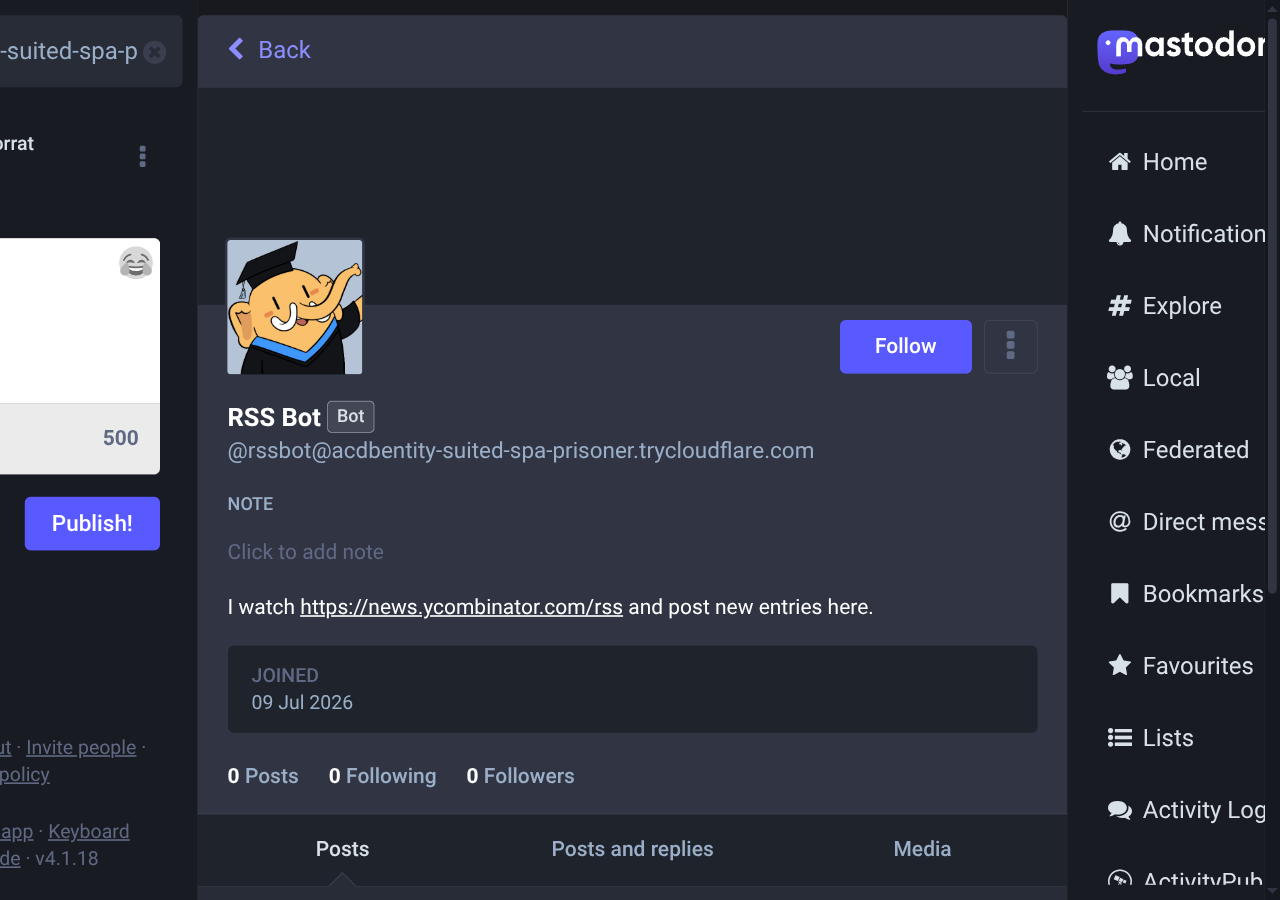
Open the result and click Follow:
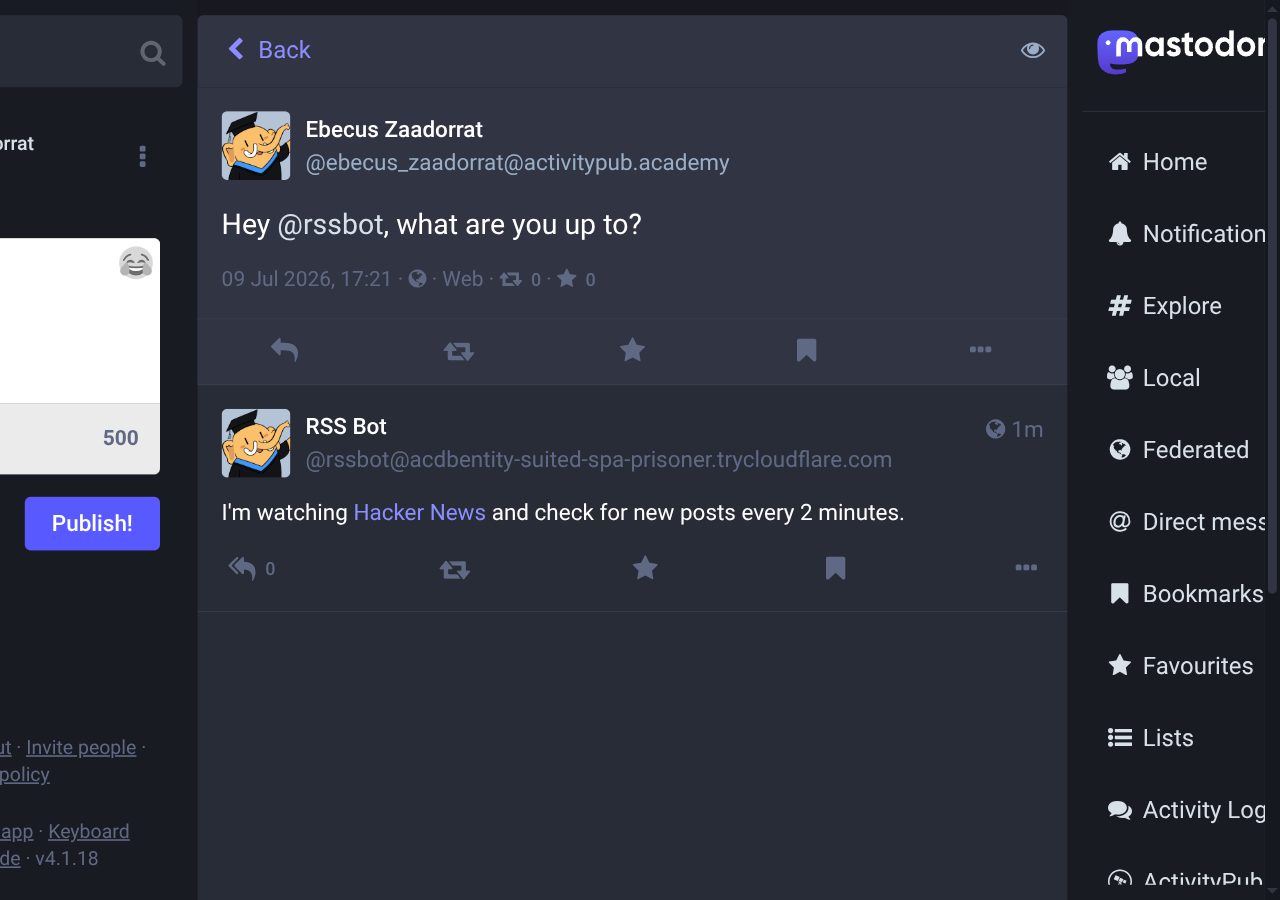
Then mention it:
Hey @rssbot@c4d3933be87bc2.lhr.life, what are you up to?The reply arrives within a few seconds:
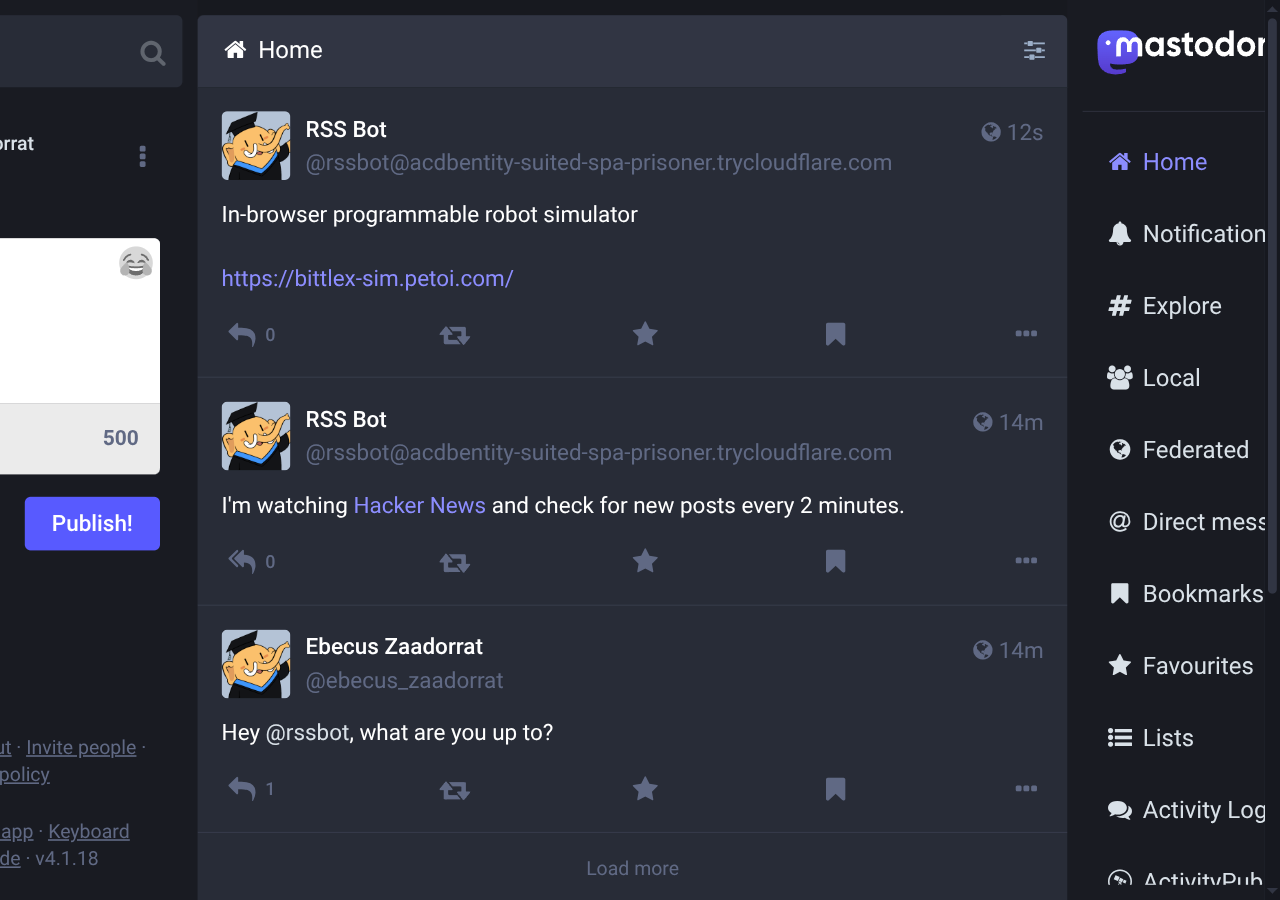
The next time the bot's poll picks up a genuinely new item, it shows up in the timeline like any other post:
Many bots, one instance
A single feed was enough to prove the idea works, but a hardcoded FEED_URL doesn't scale to what people actually want: several feeds running at once, a new one added without a redeploy, each with its own fediverse identity instead of all of them sharing one increasingly noisy timeline. Instance is the piece of BotKit built for that: one server hosting many bots, each with its own actor, followers, and inbox, all sharing the same key–value store, queue, and repository underneath.
createBot() isn't going anywhere, and a bot that only ever needs to be one actor has no reason to switch. What follows turns rssbot into an instance that hosts one bot per registered feed, plus a small registry bot whose only job is adding a feed when someone mentions it with a URL.
A naive identifier, and why it breaks
Each feed bot needs its own identifier: the internal name baked into its actor URI the moment it's federated. The obvious first idea is to derive one from something about the feed itself, its hostname, say, turning https://xkcd.com/rss.xml into xkcd-com. That string also happens to make a fine username, the human-readable half of @xkcd-com@your-domain that a person actually types to find the bot.
Using it for both is where the idea falls apart. An identifier has to stay fixed forever once a bot is federated: remote servers embed it in the actor URI they cache, and changing it later orphans every follower relationship and every reference anyone else's server has stored. A feed's hostname doesn't have that kind of permanence. Sites move. A blog can migrate from one domain to another and still be the same feed with the same followers, and there's no way to rename an identifier to match without breaking everyone who already has the old one. What's stable enough to make a good username, memorable, tied to what the bot actually is, is exactly what makes a bad identifier.
The fix keeps the two apart. An identifier is an opaque string assigned once, at registration, and never touched again. A slug is what's derived from the feed's URL, free to be recomputed, and only ever used to answer “what does a person type to find this bot,” never “what does this bot's actor URI contain.”
The feeds table
app.db grows a feeds table to hold that split, and posted_items becomes scoped per feed instead of tracking one bot's history:
// app.db: the feed poller's own state, kept separate from bot.db (which
// belongs entirely to @fedify/botkit-sqlite's SqliteRepository).
//
// node:sqlite's DatabaseSync API is fully synchronous -- none of the calls
// below need (or accept) an `await`.
//
// A feed's `identifier` is its opaque, immutable key: it's baked into the
// actor URI once federated, so it must never be derived from anything that
// could change (the feed's URL, its title).  `slug` is the human-readable
// part of the handle, mapped to and from `identifier` via mapUsername.

import { DatabaseSync } from "node:sqlite";

export interface FeedRow {
  readonly identifier: string;
  readonly url: string;
  readonly slug: string;
  readonly title: string | null;
  readonly baselined: boolean;
}

function toFeedRow(row: Record<string, unknown>): FeedRow {
  return {
    identifier: row.identifier as string,
    url: row.url as string,
    slug: row.slug as string,
    title: row.title as string | null,
    baselined: (row.baselined as number) !== 0,
  };
}

export function openAppDb(path: string): DatabaseSync {
  const db = new DatabaseSync(path);
  db.exec(`
    CREATE TABLE IF NOT EXISTS feeds (
      identifier TEXT PRIMARY KEY,
      url TEXT NOT NULL UNIQUE,
      slug TEXT NOT NULL UNIQUE,
      title TEXT,
      baselined INTEGER NOT NULL DEFAULT 0,
      created_at TEXT NOT NULL
    )
  `);
  migrateLegacyPostedItems(db);
  db.exec(`
    CREATE TABLE IF NOT EXISTS posted_items (
      feed_identifier TEXT NOT NULL,
      item_id TEXT NOT NULL,
      posted_at TEXT NOT NULL,
      PRIMARY KEY (feed_identifier, item_id)
    )
  `);
  return db;
}

// Part 1's app.db had posted_items(item_id, posted_at), with no concept of
// which feed an item belonged to, since there was only ever one.  Its rows
// are carried forward here under the "bot" identifier, the only identifier
// that could have posted them, before CREATE TABLE IF NOT EXISTS in
// openAppDb() would otherwise leave the old (incompatible) table in place.
function migrateLegacyPostedItems(db: DatabaseSync): void {
  const columns = db.prepare("PRAGMA table_info(posted_items)").all() as {
    readonly name: string;
  }[];
  const isLegacy = columns.length > 0 &&
    !columns.some((column) => column.name === "feed_identifier");
  if (!isLegacy) return;
  db.exec("ALTER TABLE posted_items RENAME TO posted_items_legacy");
  db.exec(`
    CREATE TABLE posted_items (
      feed_identifier TEXT NOT NULL,
      item_id TEXT NOT NULL,
      posted_at TEXT NOT NULL,
      PRIMARY KEY (feed_identifier, item_id)
    )
  `);
  db.exec(`
    INSERT INTO posted_items (feed_identifier, item_id, posted_at)
    SELECT 'bot', item_id, posted_at FROM posted_items_legacy
  `);
  db.exec("DROP TABLE posted_items_legacy");
}

function slugify(url: string): string {
  return new URL(url).hostname.toLowerCase().replace(/\./g, "-");
}

export function getFeedByIdentifier(
  db: DatabaseSync,
  identifier: string,
): FeedRow | undefined {
  const row = db.prepare("SELECT * FROM feeds WHERE identifier = ?").get(
    identifier,
  );
  return row == null ? undefined : toFeedRow(row);
}

export function getFeedBySlug(
  db: DatabaseSync,
  slug: string,
): FeedRow | undefined {
  const row = db.prepare("SELECT * FROM feeds WHERE slug = ?").get(slug);
  return row == null ? undefined : toFeedRow(row);
}

export function getFeedByUrl(
  db: DatabaseSync,
  url: string,
): FeedRow | undefined {
  const row = db.prepare("SELECT * FROM feeds WHERE url = ?").get(url);
  return row == null ? undefined : toFeedRow(row);
}

export function listFeeds(db: DatabaseSync): readonly FeedRow[] {
  const rows = db.prepare("SELECT * FROM feeds").all();
  return rows.map(toFeedRow);
}

// Used once, at startup, to carry an existing single-bot deployment's feed
// forward as a row here.  A no-op on every run after the first, since
// `identifier` is the primary key.
export function seedFeed(
  db: DatabaseSync,
  feed: { identifier: string; url: string; slug: string },
): void {
  db.prepare(
    "INSERT OR IGNORE INTO feeds (identifier, url, slug, created_at) VALUES (?, ?, ?, ?)",
  ).run(feed.identifier, feed.url, feed.slug, new Date().toISOString());
  migrateLegacyBaselined(db, feed.identifier);
}

// Part 1's app.db tracked "has the first poll happened yet" in a separate
// app_meta table, since there was only one feed to ask that about.  Once
// this feed's row exists (just above), that flag is carried onto it and
// app_meta is dropped; a no-op on every run after the first, since app_meta
// won't exist anymore to check.
function migrateLegacyBaselined(db: DatabaseSync, identifier: string): void {
  const hasAppMeta = db.prepare(
    "SELECT 1 FROM sqlite_master WHERE type = 'table' AND name = 'app_meta'",
  ).get() != null;
  if (!hasAppMeta) return;
  const wasBaselined = db.prepare(
    "SELECT 1 FROM app_meta WHERE key = 'baselined'",
  ).get() != null;
  if (wasBaselined) markFeedBaselined(db, identifier);
  db.exec("DROP TABLE app_meta");
}

// Registers a newly mentioned feed URL under a fresh, opaque identifier.
// The identifier is never derived from the URL or title, since either can
// change after the fact; the slug (the human-readable handle) is, and gets
// a numeric suffix if it collides with one already in use.
export function addFeed(db: DatabaseSync, url: string): FeedRow {
  const baseSlug = slugify(url);
  let slug = baseSlug;
  for (let suffix = 2; getFeedBySlug(db, slug) != null; suffix++) {
    slug = `${baseSlug}-${suffix}`;
  }
  const identifier = `feed_${
    crypto.randomUUID().replace(/-/g, "").slice(0, 12)
  }`;
  db.prepare(
    "INSERT INTO feeds (identifier, url, slug, created_at) VALUES (?, ?, ?, ?)",
  ).run(identifier, url, slug, new Date().toISOString());
  return { identifier, url, slug, title: null, baselined: false };
}

export function updateFeedTitle(
  db: DatabaseSync,
  identifier: string,
  title: string,
): void {
  db.prepare("UPDATE feeds SET title = ? WHERE identifier = ?").run(
    title,
    identifier,
  );
}

export function markFeedBaselined(db: DatabaseSync, identifier: string): void {
  db.prepare("UPDATE feeds SET baselined = 1 WHERE identifier = ?").run(
    identifier,
  );
}

export function isPosted(
  db: DatabaseSync,
  feedIdentifier: string,
  itemId: string,
): boolean {
  return (
    db.prepare(
      "SELECT 1 FROM posted_items WHERE feed_identifier = ? AND item_id = ?",
    ).get(feedIdentifier, itemId) != null
  );
}

export function markPosted(
  db: DatabaseSync,
  feedIdentifier: string,
  itemId: string,
): void {
  db.prepare(
    "INSERT OR IGNORE INTO posted_items (feed_identifier, item_id, posted_at) VALUES (?, ?, ?)",
  ).run(feedIdentifier, itemId, new Date().toISOString());
}
identifier and slug both carry a UNIQUE constraint, but only slug gets recomputed and retried on collision; identifier is generated once by addFeed() and left alone. baselined used to live in Part 1's separate app_meta table, tracking whether the app had ever polled at all; now that whether the first poll happened is a fact about one particular feed instead of the app as a whole, it collapses into an ordinary column on feeds.
slugify() lowercases a feed's hostname and swaps dots for hyphens, news.ycombinator.com becomes news-ycombinator-com, and addFeed() appends a numeric suffix (-2, -3, …) if that slug is already taken. identifier, by contrast, is a short random string prefixed with feed_, generated from crypto.randomUUID() and never derived from anything about the feed at all.
The two migrateLegacy* functions above exist because an existing app.db from Part 1 still has the old posted_items(item_id, posted_at) table and a separate app_meta key–value table, neither of which CREATE TABLE IF NOT EXISTS touches: it only creates a table that isn't there yet, so an old posted_items would sit untouched, missing the feed_identifier column the rest of this file expects, and the first call to isPosted() would fail with no such column: feed_identifier. migrateLegacyPostedItems() checks for that shape before openAppDb() creates anything and migrates it if found; migrateLegacyBaselined() does the same for app_meta's baselined flag, called from seedFeed() once the feed row it belongs to actually exists. Both check for the old shape before doing anything, so a fresh install with no prior app.db skips them entirely, and an already-migrated one skips them on every run after the first: posted_items already has feed_identifier, and app_meta is already gone.
From bot to instance
bot.ts becomes instance.ts, since it now hosts more than one bot:
import {
  createInstance,
  InProcessMessageQueue,
  MemoryKvStore,
} from "@fedify/botkit";
import { SqliteRepository } from "@fedify/botkit-sqlite";
import { mkdirSync } from "node:fs";
import { openAppDb, seedFeed } from "./db.ts";

declare const FEED_URL: string;
declare const BEHIND_PROXY: boolean;

mkdirSync("./data", { recursive: true });

const instance = createInstance<void>({
  kv: new MemoryKvStore(),
  queue: new InProcessMessageQueue(),
  repository: new SqliteRepository({ path: "./data/bot.db" }),
  behindProxy: BEHIND_PROXY,
  // The part 1 bot never set an explicit `identifier`, so createBot()
  // defaulted it to "bot" -- "rssbot" was only ever its username.
  // Reusing that same identifier (not legacyObjectUris below) is what
  // keeps the actor's URI, keys, and follower relationships intact;
  // legacyObjectUris only rewrites the *old* format of individual object
  // URIs (posts, follows) that remote servers may still have cached from
  // before this bot moved onto an instance.
  legacyObjectUris: { identifier: "bot" },
});

const appDb = openAppDb("./data/app.db");

// Carries the original feed forward as a row here, under the bot's actual
// (default) identifier and its existing username, so it's handled by the
// same dynamic bot group as every feed registered from now on.  A no-op
// after the first run.
seedFeed(appDb, { identifier: "bot", url: FEED_URL, slug: "rssbot" });
createInstance() takes the same infrastructure options createBot() used to: kv, queue, repository, behindProxy. What's new is legacyObjectUris. Part 1's rssbot never set an explicit identifier option, so createBot() defaulted it to "bot"; "rssbot" was only ever its username. Reusing that same identifier, not legacyObjectUris, is what keeps the original bot's actor URI, cryptographic keys, and follower relationships intact now that it's one bot among several instead of the only one on the server. legacyObjectUris handles something narrower: the old format of individual object URIs, posts and follows published before the move to createInstance(), that remote servers may still have cached and could send back in a later Accept or Like.
seedFeed() carries that same bot forward as an ordinary row: same identifier, same URL, same username as its slug. It's an INSERT OR IGNORE, so it's a no-op on every run after the first, and from here on the original bot is handled by exactly the same dynamic bot group as any feed registered afterward, with no special-casing anywhere else in the code.
The migration this depends on isn't something this code does itself. BotKit already migrates a createBot() deployment's repository data to the layout createInstance() expects, but only the first time that deployment runs on BotKit 0.5.0 or later under createBot(); by the time you get here, Part 1's bot has already done that simply by having run. If you're migrating a deployment that's never run on 0.5.0 at all, run it once with createBot() first, or call the repository's migrate() method yourself; see Migrating a single-bot deployment for the details. fedify lookup against the actor's URI before and after switching to createInstance() is worth running yourself: its public key and WebFinger handle should come out identical.
One instance, many feeds
// A dynamic bot group: one bot per row in the feeds table, resolved on
// demand.  This is what turns "one bot per feed" into a single
// registration up front, instead of an imperative createBot() call every
// time a feed is added -- see registryBot.onMention below.
const feedBots = instance.createBot(
  (_ctx, identifier) => {
    const feed = getFeedByIdentifier(appDb, identifier);
    if (feed == null) return null;
    return { username: feed.slug, name: feed.title ?? feed.url };
  },
  {
    mapUsername(_ctx, username) {
      const feed = getFeedBySlug(appDb, username);
      return feed?.identifier ?? null;
    },
  },
);

feedBots.onMention = async (session, message) => {
  const feed = getFeedByIdentifier(appDb, session.bot.identifier);
  if (feed == null) return;
  await message.reply(
    text`I'm watching ${
      link(feed.title ?? feed.url, feed.url)
    } and check for new posts every ${formatInterval(POLL_INTERVAL_MS)}.`,
  );
};
Passing a function instead of a fixed identifier to instance.createBot() creates a BotGroup: a family of bots resolved on demand instead of declared up front, the same dynamic bots pattern used for a bot-per-region weather service in BotKit's own docs. The dispatcher here does the same kind of lookup: given an identifier, find the matching row in feeds, and if there isn't one, return null so BotKit knows the identifier isn't a feed bot at all. mapUsername runs that lookup in the other direction, by slug instead of identifier, so @xkcd-com@your-domain and the actor whose identifier is some random feed_a1b2c3d4e5f6 resolve to the same bot both ways.
Because a BotGroup has no single identifier of its own, publishing through it needs to say which bot: feedBots.getSession(origin, identifier) instead of the bot.getSession(origin) Part 1 used. Polling walks every row in feeds and does exactly that, once per feed:
const FETCH_TIMEOUT_MS = 30_000;

async function pollFeed(feed: FeedRow): Promise<void> {
  const parsed = await fetchFeed(
    feed.url,
    AbortSignal.timeout(FETCH_TIMEOUT_MS),
  );
  if (parsed.title != null && parsed.title !== feed.title) {
    updateFeedTitle(appDb, feed.identifier, parsed.title);
  }
  const items = [...parsed.items].reverse(); // feeds list newest-first

  // Don't flood followers with the feed's entire current front page the
  // very first time this feed is polled.  Only items that show up in
  // later polls count as "new".
  const isFirstEverPoll = !feed.baselined;

  const session = await feedBots.getSession(ORIGIN, feed.identifier);
  let publishedCount = 0;
  for (const item of items) {
    const key = itemKey(item);
    if (key == null || isPosted(appDb, feed.identifier, key)) continue;
    if (!isFirstEverPoll) {
      await session.publish(
        text`${item.title ?? "(untitled)"}

${link(item.url ?? feed.url)}`,
      );
      publishedCount++;
    }
    markPosted(appDb, feed.identifier, key);
  }
  if (isFirstEverPoll) markFeedBaselined(appDb, feed.identifier);
  console.log(
    isFirstEverPoll
      ? `Baseline: ${items.length} existing item(s) from ${feed.url}.`
      : `Posted ${publishedCount} new item(s) from ${feed.url}.`,
  );
}

async function pollAll(): Promise<void> {
  for (const feed of listFeeds(appDb)) {
    try {
      await pollFeed(feed);
    } catch (error) {
      console.error(`Failed to poll feed ${feed.url}:`, error);
    }
  }
}
Nothing here differs from Part 1's polling logic except where the identifier and the “already posted” state come from: feed.identifier instead of a variable captured from the outer scope, isPosted/ markPosted scoped to that identifier instead of one shared Set, and the explicit AbortSignal.timeout() on fetchFeed(). pollAll() awaits each feed in turn, and pollAllOnce()'s polling guard means no later tick can start a new cycle until the current one finishes, so a server that accepts the connection and then never responds would otherwise wedge every feed on the instance forever, not just the one that's stuck. With the timeout in place, that's an ordinary per-feed failure like any other, a fetch timeout, a feed that starts returning malformed XML, and pollAll()'s try/catch handles it the same way: log it and move on to the next feed.
Registering a feed by mention
Adding a bot to the group so far has meant one thing: insert a row into feeds. feedBots's dispatcher already resolves any identifier that shows up there, whether it's been sitting in the table since startup or was inserted a second ago, so nothing needs to call instance.createBot() again once a feed is registered. That's the payoff of a dynamic bot group over a static one: registration is a database write, not a deploy.
A small static bot, registry, is the front door for that write:
function extractUrl(input: string): string | null {
  const match = input.match(/https?:\/\/\S+/)?.[0];
  return match != null && URL.canParse(match) ? match : null;
}

// A static bot: the registration desk.  Mentioning it with a feed URL adds
// a row to the feeds table; feedBots's dispatcher picks up the new row on
// its own the next time that identifier is resolved.
//
// This doesn't check who sent the mention, and doesn't validate the URL
// before it's fetched by the polling loop below.  See the tutorial's
// "Advanced exercises" section for what a real deployment needs here.
const registryBot = instance.createBot("registry", {
  username: "registry",
  name: "Feed Registry",
  summary: text`Mention me with a feed URL to register a new feed bot.`,
});

registryBot.onMention = async (_session, message) => {
  const url = extractUrl(message.text);
  if (url == null) {
    await message.reply(text`Please include a feed URL in your mention.`);
    return;
  }
  const existing = getFeedByUrl(appDb, url);
  if (existing != null) {
    await message.reply(
      text`Already watching that feed: ${
        mention(`@${existing.slug}@${new URL(ORIGIN).host}`)
      }.`,
    );
    return;
  }
  const feed = addFeed(appDb, url);
  await message.reply(
    text`Registered! Give it a few minutes, then look for ${
      mention(`@${feed.slug}@${new URL(ORIGIN).host}`)
    }.`,
  );
};
extractUrl() looks for the first thing in the mention's text that matches a URL and passes URL.canParse(), rejecting a malformed one, a truncated http://%, say, that would otherwise reach addFeed()'s new URL() call and throw. Registering a URL that's already watched replies instead of hitting the UNIQUE constraint on feeds.url and crashing.
Both replies build the new bot's handle with mention(), not a plain @${slug}@${host} string interpolated into the template. A handle written as plain text is just text: it won't render as a link, and without the Mention tag mention() adds, it doesn't behave like an actual mention. mention() looks the handle up the same way a person searching for it would, and falls back to plain text only if that lookup fails, so the reply degrades gracefully instead of breaking if the new bot's actor somehow isn't resolvable yet.
What registryBot.onMention doesn't do is check who's asking, or whether the URL it's about to hand to pollFeed() actually points somewhere safe to fetch from. Both gaps are deliberate, and both are closed in Advanced exercises below, not here.
Verifying the instance, on both runtimes
Same shape as Part 1's first run, on the file that now hosts an instance instead of a single bot:
deno serve --allow-net --allow-env --allow-read=./data --allow-write=./data --watch instance.tsnpx srvx serve --port 8000 --entry ./instance.tsTunnel it the same way as before, then mention the registry bot with a feed URL from an account on ActivityPub.Academy. Type the full URL, scheme included, since extractUrl() only matches http:// or https:// links; Mastodon hides the scheme when it displays an auto-linked URL back to you, which is why it doesn't show up below:
Hey @registry, please watch https://xkcd.com/rss.xml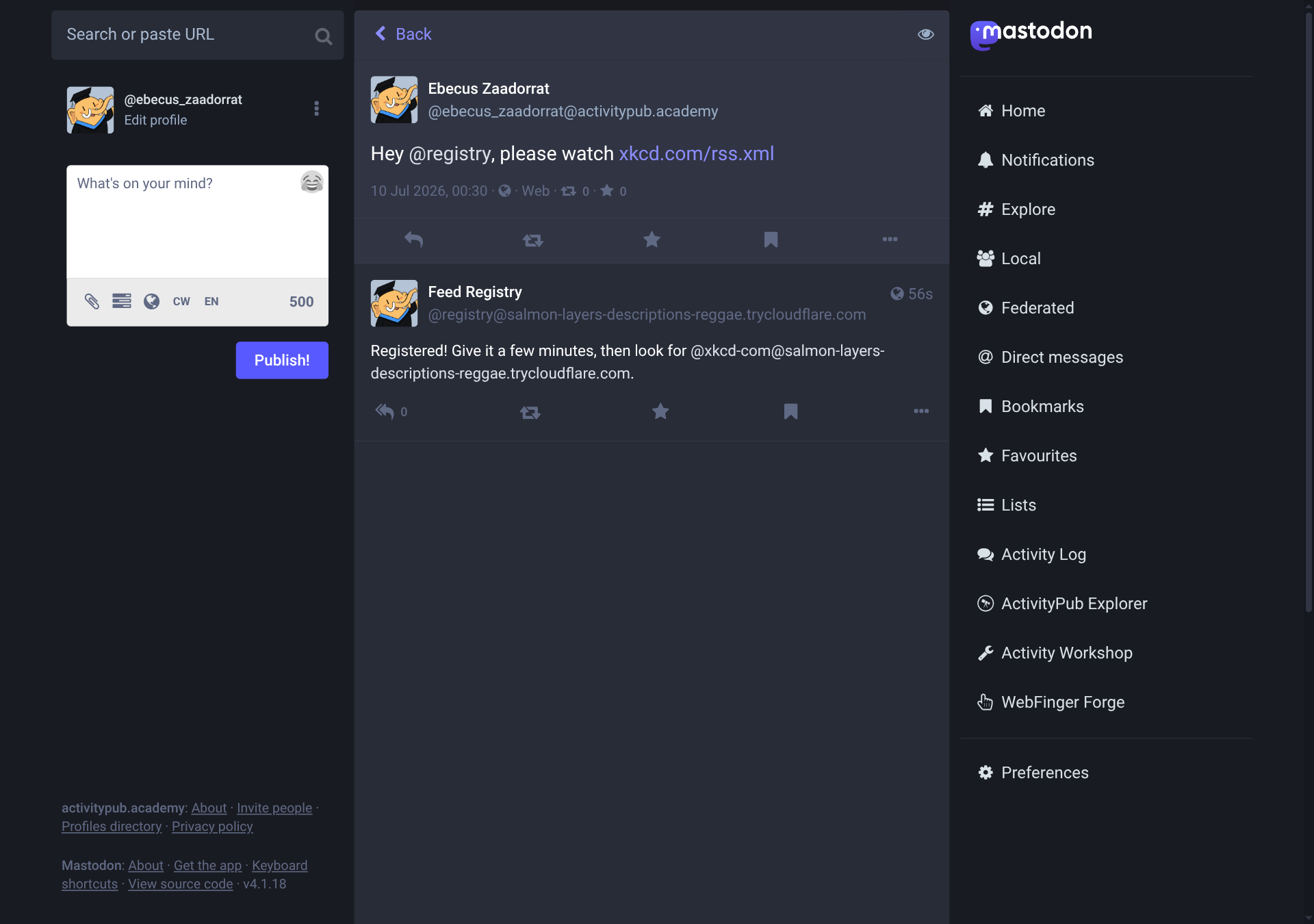
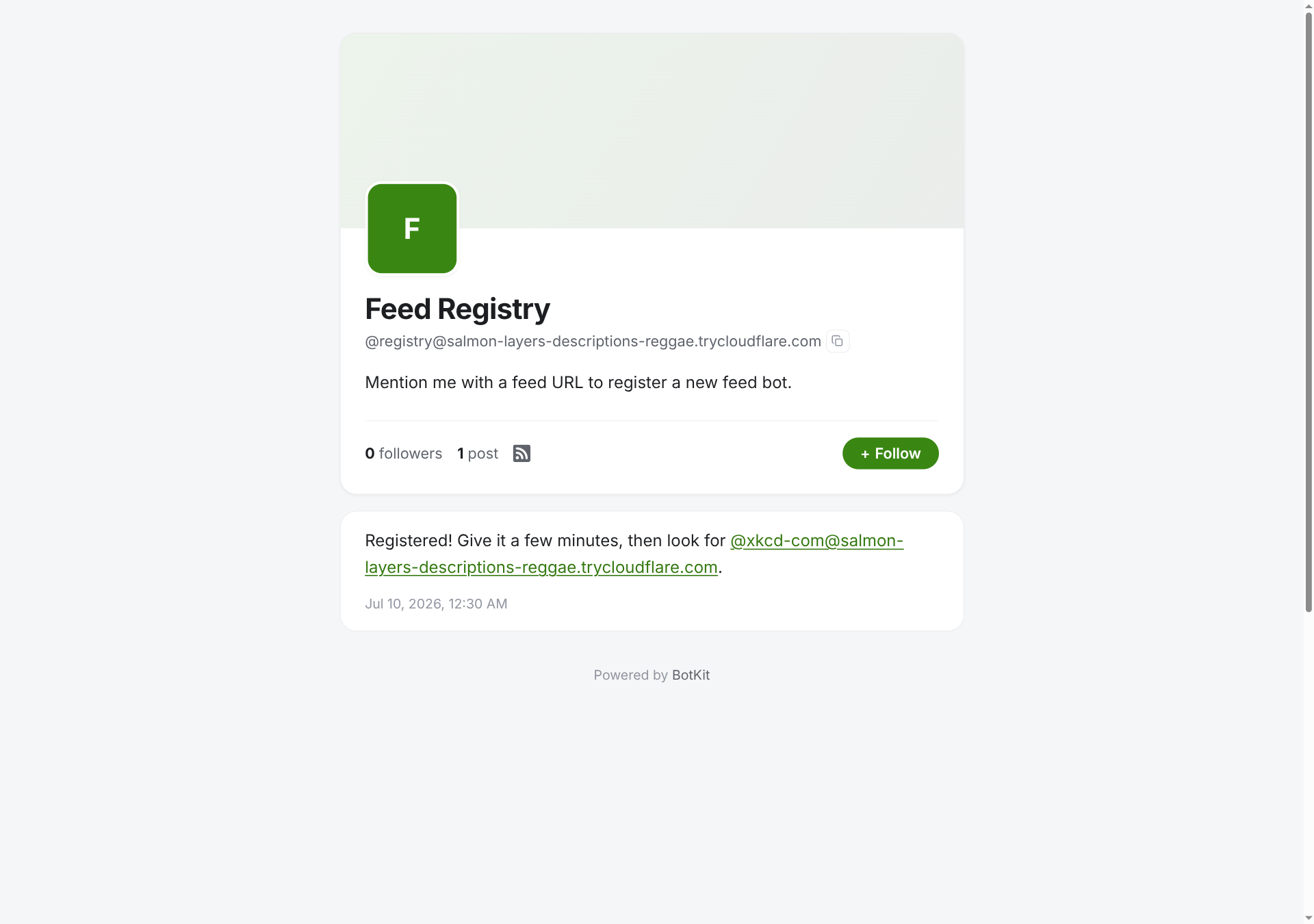
The reply's handle is built with mention(), so the underlying Note carries a proper Mention tag and is addressed directly to the new bot, not just formatted to look like one. ActivityPub.Academy doesn't render that as a clickable link in the screenshot above, even though the underlying data is correct; BotKit's own page for the registry bot shows the exact same reply with the link intact:
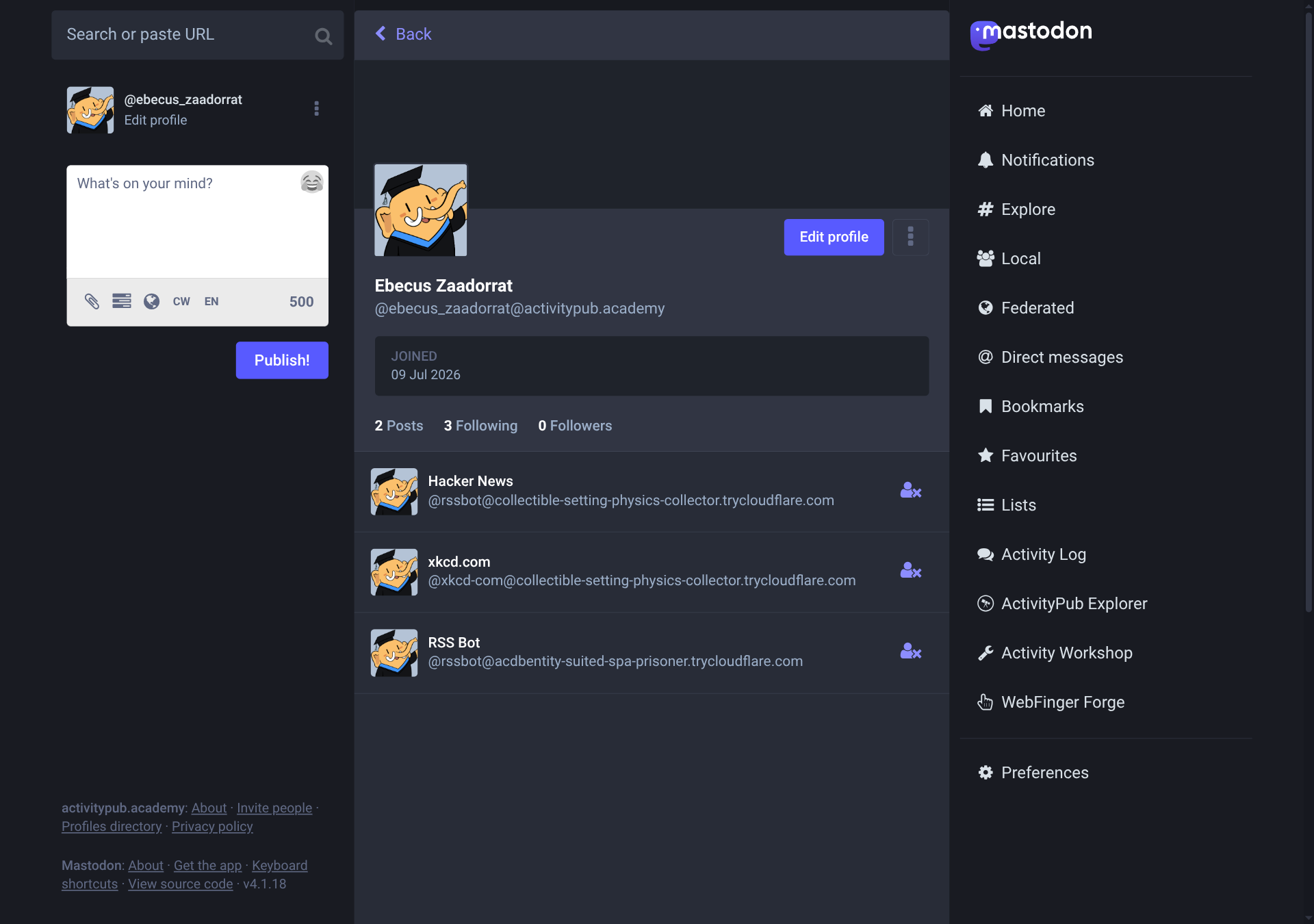
A minute or two later, the new bot shows up under its slug. Following both it and the migrated original confirms they're genuinely separate actors, not aliases of each other:
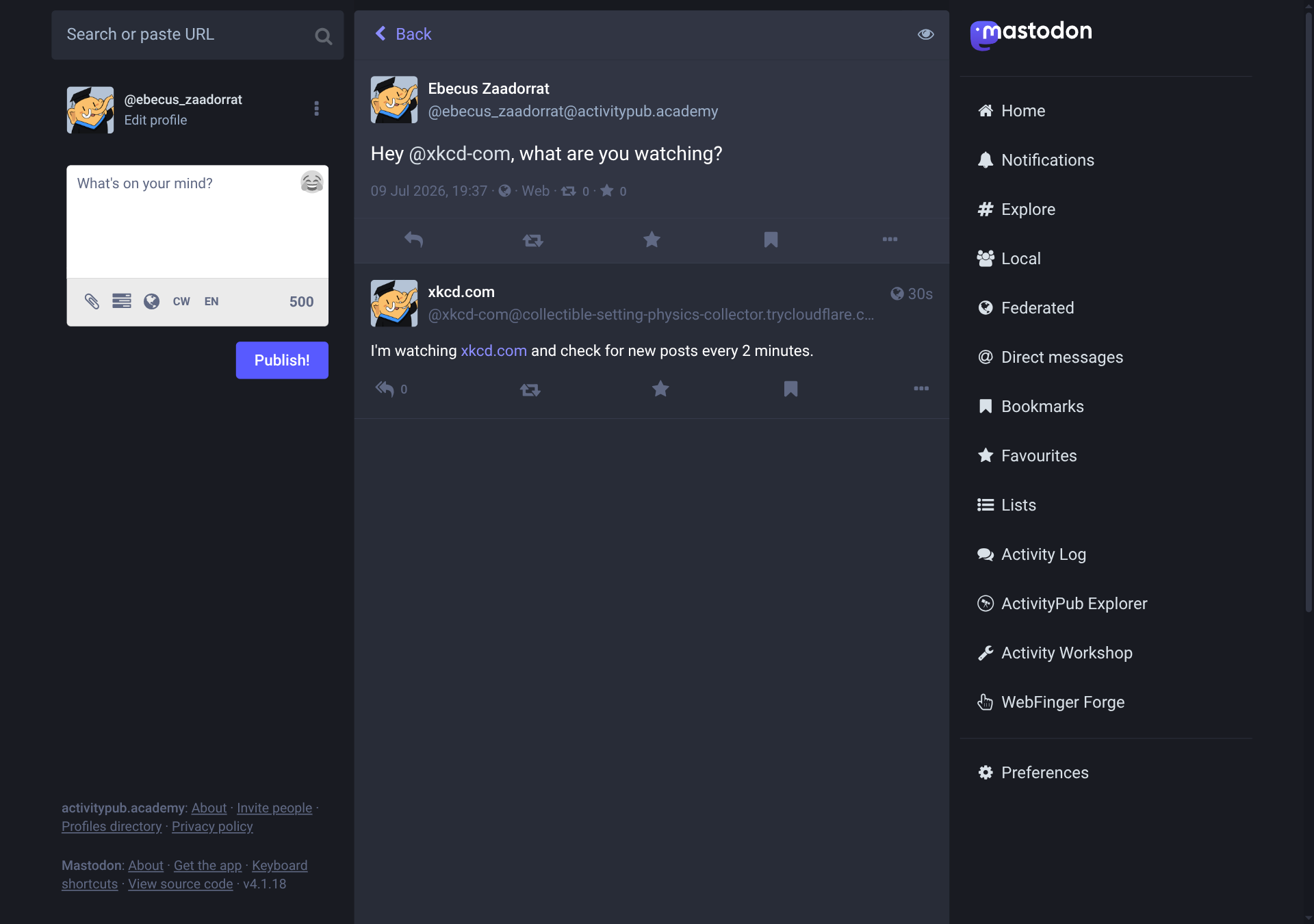
Mention the new bot directly, and feedBots.onMention, not the registry's, answers:
Everything here runs the same way on Node.js: tunnel instance.ts behind a second hostname, register a feed the same way, and the same handle resolves over WebFinger.
Deploying to a server
Running instance.ts under a process manager instead of a terminal follows Self-hosted deployment's systemd-and-Caddy setup almost exactly; the full walkthrough, installing the runtime, creating a botkit user, setting up Caddy, enabling the service, lives there. Two things about this particular bot are worth calling out on top of it, and both are already reflected in the systemd units and Caddyfile under examples/rss-bot/deploy/.
ExecStart uses the same scoped Deno permissions this tutorial has used throughout, --allow-net --allow-env --allow-read=./data --allow-write=./data, rather than self-hosting.md's generic -A. And because ProtectSystem=strict makes the whole working directory read-only unless a path is listed under ReadWritePaths, and this bot writes bot.db and app.db under ./data, the unit adds:
ReadWritePaths=/opt/botkit/dataThat path has to already exist, owned by the botkit user, before the service starts:
sudo mkdir -p /opt/botkit/data
sudo chown botkit:botkit /opt/botkit/data
right after self-hosting.md's own mkdir -p /opt/botkit step. Skip it and the unit refuses to start at all, exit code 226/NAMESPACE, since systemd only allow-lists a ReadWritePaths entry that already exists.
On Node.js, srvx needs to actually ship with the bot's dependencies this time, not just be run through npx: it's in package.json as a regular dependency, so npm ci (or the equivalent for whichever package manager built the deployment) installs /opt/botkit/node_modules/.bin/srvx, the exact binary ExecStart calls.
The Caddyfile follows self-hosting.md's otherwise: automatic HTTPS with an ACME contact email, a reverse proxy to localhost:8000, and the same basic security headers.
Advanced exercises
None of what follows is implemented in examples/rss-bot/. Each is a reasonable next step, in roughly the order a real deployment would need them.
- Feed-provided freshness hints: RSS's optional
<ttl>element and the Syndication module's<sy:updatePeriod>,<sy:updateFrequency>, and<sy:updateBase>both let a feed suggest its own polling interval instead of the bot guessing atPOLL_INTERVAL_MSfor every feed alike. Atom has no standard equivalent. - HTTP conditional requests: sending
If-Modified-SinceorIf-None-Matchwith each poll, and handling a304 Not Modifiedresponse, skips re-parsing a feed that hasn't changed at all. - WebSub: a feed advertising
<atom:link rel="hub" href="…">can push updates instead of waiting to be polled, tradingsetInterval()for a webhook. - An allowlist on who can register a feed: right now, any mention of the registry bot with a URL in it registers that URL, from anyone.
- Validating the mentioned URL before fetching it:
registryBot.onMentionhands whateverextractUrl()finds straight topollFeed()'sfetch()call, with nothing stopping it from pointing atlocalhostor an internal address. @fedify/vocab-runtime'svalidatePublicUrl()exists for exactly this, so it doesn't need to be written from scratch.
The hostname will be different in your case, and depends on which tunneling service you used. ↩︎